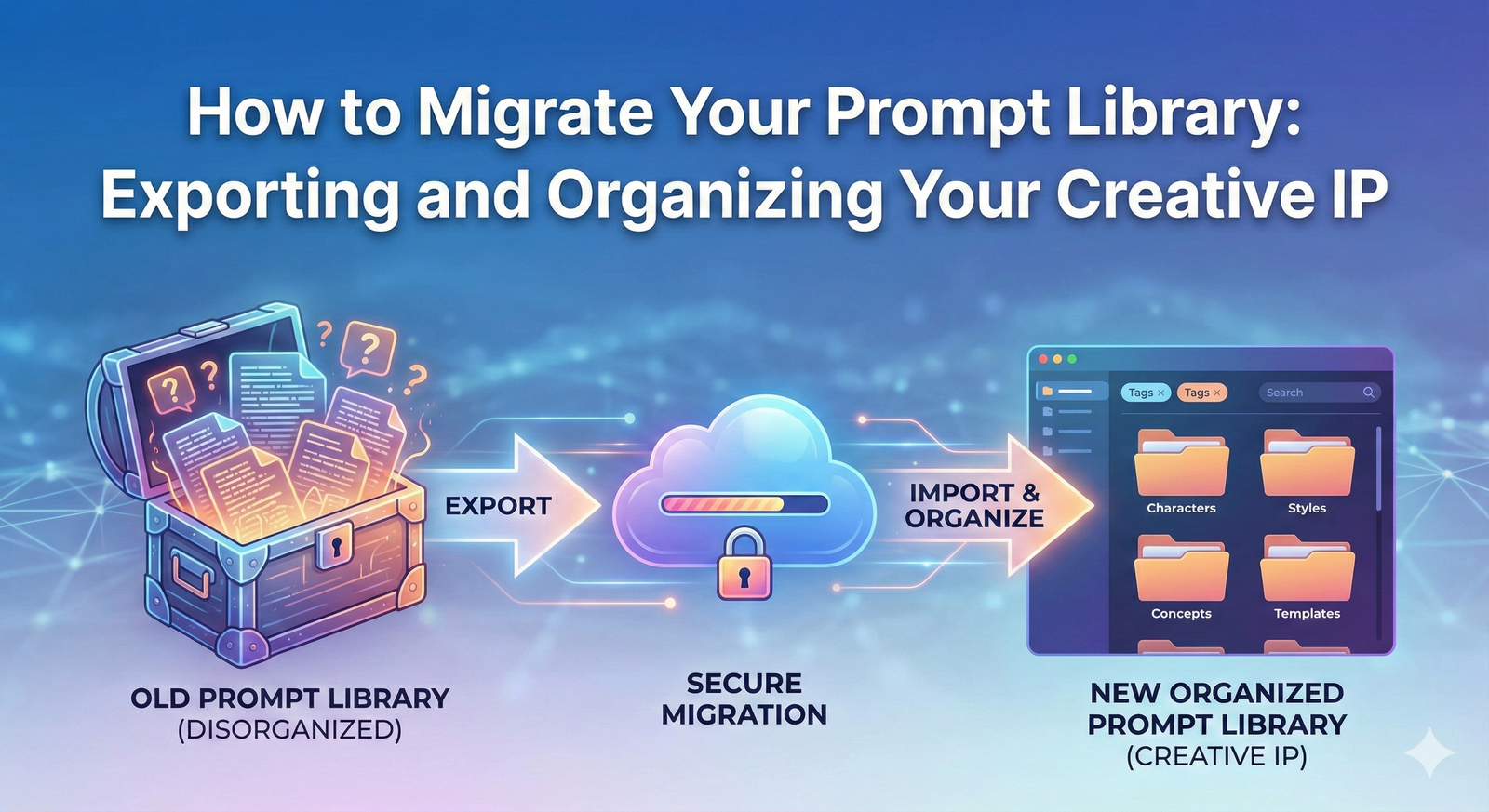
How to Migrate Your Prompt Library: Exporting and Organizing Your Creative IP
Introduction: The Value of Your Prompt Library
In the rapidly evolving world of generative AI, your most valuable asset is not the subscription you pay for, but the Creative IP you have generated: your meticulously crafted, high-performing prompts. These prompts—the exact strings of text, parameters, and weights that produce your best images, code, or content—represent hundreds of hours of experimentation and refinement. They are the keys to your unique creative style and the foundation of your professional workflow.
However, this valuable prompt library is often scattered across disparate platforms: buried in Discord threads, hidden in local Stable Diffusion folders, or lost in the endless scroll of a ChatGPT history. This fragmentation is a significant risk, leading to wasted time, inconsistent results, and the potential loss of your most successful creative formulas.
This comprehensive guide provides the definitive, step-by-step process for migrating your prompt library. We will show you how to export your valuable prompt data from the major AI platforms and, most importantly, how to consolidate, clean, and organize this Creative IP into a unified, future-proof system like Puretools. By the end of this article, you will have the knowledge to transform your scattered prompts into a centralized, searchable, and optimized asset.
The Challenge of Fragmentation: Why Migration is Essential
The need for prompt library migration stems from the siloed nature of the current AI ecosystem. Each platform is a walled garden:
- Midjourney: Prompts are embedded in image metadata and Discord chat history.
- Stable Diffusion UIs (e.g., Automatic1111): Prompts are stored locally in image metadata (PNG Info) and sometimes in log files.
- LLMs (e.g., ChatGPT, Gemini): Prompts are part of long, unstructured conversation threads.
Relying on these native storage methods makes it impossible to search, compare, and optimize your prompts across different models. A successful migration is the first step toward prompt engineering management—a professional necessity for any serious AI user.
Step-by-Step Guide: Exporting Your Prompts from Major Platforms
The process of exporting your prompts varies significantly by platform. Here are the most reliable methods for extracting your Creative IP.
1. Exporting from Midjourney (The Discord Challenge)
Midjourney’s primary interface is Discord, which does not offer a native "Export All Prompts" button. The most effective method involves leveraging the web interface and image metadata.
| Step | Action | Tool/Method | Data Format |
|---|---|---|---|
| 1. Access Web Gallery | Log into the Midjourney web gallery (alpha.midjourney.com). | Midjourney Web Interface | HTML/JSON (via API) |
| 2. Bulk Download | Use the bulk download feature to download your images. | Midjourney Web Interface | ZIP file of images |
| 3. Extract Metadata | Use a third-party tool like ExifTool to batch-extract the embedded prompt data from the downloaded images. | ExifTool (Command Line) | CSV or TXT |
| 4. Alternative (API/Scripting) | For advanced users, a custom script can be written to query the Midjourney API or scrape the web gallery. | Custom Python Script | JSON or CSV |
Key Takeaway: The prompt is embedded in the image's metadata. You are essentially performing a prompt metadata extraction from your image files.
2. Exporting from Stable Diffusion UIs (The Local Advantage)
Stable Diffusion UIs, such as Automatic1111 or ComfyUI, offer a more straightforward process because the data is stored locally and explicitly in the image files.
| Step | Action | Tool/Method | Data Format |
|---|---|---|---|
| 1. Locate Output Folder | Navigate to the primary output folder (e.g., stable-diffusion-webui/outputs/txt2img). | Local File System | PNG/JPEG |
| 2. Use PNG Info | For individual images, drag and drop the image into the PNG Info tab within the UI to view the exact prompt, negative prompt, seed, and settings. | Automatic1111 UI | Text |
| 3. Batch Extraction | Use a dedicated script or a third-party tool designed to batch-read the EXIF/metadata from all images in the output folder. | Python Script (e.g., using Pillow library) | CSV or JSON |
Key Takeaway: The prompt and all parameters are stored in the image file itself. This is the cleanest form of prompt data export.
3. Exporting from Large Language Models (The Conversation Dump)
For LLMs like ChatGPT and Gemini, the prompt is inseparable from the conversation history. The goal is to extract the entire conversation thread.
| Step | Action | Tool/Method | Data Format |
|---|---|---|---|
| 1. Request Data Export | Use the platform's native data export feature (e.g., ChatGPT's "Data Controls" menu and "Export Data" button). | ChatGPT/Gemini Web Interface | JSON or HTML |
| 2. Receive Data | Wait for the email containing the link to your data archive. | ZIP file of JSON/HTML | |
| 3. Manual Extraction | Open the downloaded JSON/HTML files and manually or programmatically filter for the user-input prompts, separating them from the AI's responses. | Text Editor or Python Script | JSON/CSV |
Key Takeaway: LLM exports are often a large, unstructured dump of conversation data. The real work is in the subsequent data cleaning and organization.
Data Cleaning and Organization: Structuring Your Creative IP
Once you have exported your raw prompt data, you will have a collection of text files, CSVs, or JSON objects. Before you can effectively use this data, you must clean and standardize it. This is the most critical step in prompt engineering management.
1. Standardize the Format
Your goal is to convert all data into a single, clean CSV or JSON format with standardized columns. A minimum viable structure should include:
| Column Name | Description | Example Data |
|---|---|---|
| Prompt_Text | The core positive prompt. | A photorealistic portrait of a knight in a forest |
| Negative_Prompt | The text you used to exclude elements. | blurry, low quality, bad anatomy, ugly |
| Model_Source | The platform the prompt was used on. | Midjourney V6, SDXL 1.0, ChatGPT 4 |
| Parameters | Any model-specific parameters. | --ar 16:9 --s 750 --style raw |
| Result_Link | A link to the final image or conversation thread (if possible). | https://midjourney.com/show/12345 |
| Tags | Custom tags for organization. | portrait, fantasy, photorealism, high-performer |
2. Clean and Normalize Data
- Remove Duplicates: Use spreadsheet software or a script to identify and remove identical prompts.
- Separate Parameters: For Midjourney and Stable Diffusion prompts, you must parse the long string to separate the core prompt from the parameters.
- Filter LLM Noise: For LLM exports, filter out the AI's responses, leaving only the user's input prompts.
The Final Destination: Importing Your Library into Puretools
The entire migration process—from the initial, messy export to the final, clean CSV—is designed to prepare your Creative IP for its final, unified home: Puretools.
Puretools is not just a prompt generator; it is a complete Prompt Engineering Studio built for prompt library management. It is designed to ingest your existing data and immediately make it actionable.
The Puretools Import Advantage
Puretools offers a seamless import feature that accepts your cleaned CSV or JSON file. Upon import, the platform automatically performs several critical functions that no free tool can match:
- Automatic Multi-Platform Tagging: Puretools’ engine analyzes the parameters and syntax of your imported prompts and automatically tags the prompt with the correct source model.
- Parameter Parsing and Categorization: It intelligently parses the parameters (like aspect ratio, style, and seed) and organizes them into dedicated, searchable fields, transforming unstructured text into structured data.
- Optimization Engine Pre-Check: Every imported prompt is run through a light version of the Optimization Engine, which flags potential issues and suggests immediate improvements.
- Centralized Search and Comparison: Your entire prompt history, regardless of its original source, is now in one place. You can search across all models, compare performance, and identify your most successful creative formulas instantly.
By migrating your library to Puretools, you move from simply storing your prompts to actively managing and optimizing them. Your Creative IP is no longer a static archive; it becomes a dynamic, searchable, and actionable asset.
Conclusion and Call-to-Action
Your prompt library is the accumulated knowledge of your AI journey. Leaving this Creative IP scattered across fragmented platforms is a professional oversight that costs you time and consistency. The process of migrating your prompt library—from the challenging export of Midjourney data to the necessary cleaning of LLM conversation dumps—is a vital step in professionalizing your AI workflow.
Puretools is the ultimate destination for this migration. It transforms your raw, exported data into a unified, optimized, and fully searchable Prompt Engineering Studio. Stop relying on scattered files and start leveraging the full power of your creative history.
Ready to consolidate your Creative IP?
Take control of your prompt library. Explore Puretools and begin your prompt library migration today.
Explore Puretools Features